AKM Antivirus 2010 Pro is rogue security application which is related to the notorious rogue program Your PC Protector. Just like its relative, AKM Antivirus 2010 Pro uses scare tactics to try and induce users into paying for its license. AKM Antivirus 2010 Pro reaches the user’s system via Trojans that get downloaded along with other malicious software as well as from fake online scanners. Once installed, AKM Antivirus 2010 Pro blocks Windows utilities such as Task Manager and Registry Editor to prevent the user from attempting to remove it. It also performs a large number of fake security scans on the system and comes up with a lot of fake infections which it claims are plaguing the user’s computer. AKM Antivirus 2010 Pro also displays fake warning pop-ups from the Windows taskbar. The aim of all this activity is to try and get the user to purchase a license to the ‘full’ version of AKM Antivirus 2010 Pro by claiming that the currently installed ‘trial’ version is insufficient to remove all the detected ‘threats’. However, the so-called ‘full’ version of AKM Antivirus 2010 Pro is just as incapable of cleaning out any computer system as the ‘trial’ version is.
In many cases uses can run a system resotre that will take your computer back in time to when the virus was not running. This is a simple trick that pro’s use all the time to quickly resolve virus issues. It does not always work but because it’s so simple you should try that first. You personall files are not effected by a system restore. We recommend you go back to the day before you where infected with the virus or up to two weeks.
If you laready have antivirus software installed on the computer but can run it because the virus is blocking it, you may be able to run your antivirus client while in safe mode. This is a very simple thing to try and works some times.
AKM Antivirus 2010 Pro

» Download AKM Antivirus 2010 Pro Removal Software
As soon as you find a copy of this malicious software on your computer, you should take steps to remove this threat. The below removalprocess involves the stopping of processes, unregistering of DLLS, deletion of files and folders and the removal of registry entries.
Automatic AKM Antivirus 2010 Pro Removal
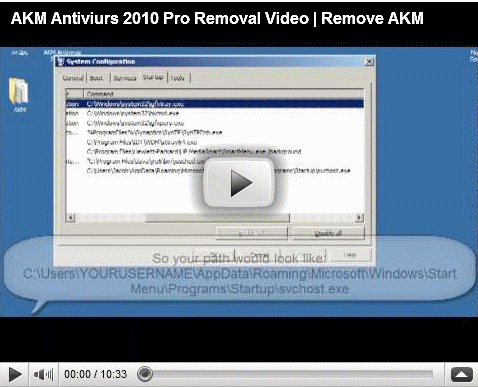
AKM Antivirus 2010 Pro Removal Video
AKM Antivirus 2010 Pro Manual Removal Procedures
The first step you need to take in order to delete this is to stop the following processes:
- svchost.exe
- alggui.exe
- AKM Antivirus 2010 Pro.exe
Next, it is necessary to unregister the following DLL file:
- adc32.dll
The next step is to delete the following files and folders:
Windows XP:
- %UserProfile%\Desktop\AKM Antivirus 2010 Pro.lnk
- %UserProfile%\Start Menu\Programs\AKM Antivirus 2010 Pro
- C:\Program Files\adc32.dll
- C:\Program Files\alggui.exe
- C:\Program Files\nuar.old
- C:\Program Files\skynet.dat
- C:\Program Files\svchost.exe
- C:\Program Files\wp3.dat
- C:\Program Files\wp4.dat
- C:\Program Files\wpp.exe
- C:\Program Files\AKM Antivirus 2010 Pro
- C:\Program Files\AKM Antivirus 2010 Pro\AKM Antivirus 2010 Pro.exe
- %Temp%\win1.tmp
- %Temp%\win2.tmp
Windows Vista/7:
- Users\%UserProfile%\AppData\Roaming\Microsoft\Windows\StartMenu\Programs\Startup\svchost.exe
- Users\%UserProfile%\AppData\Roaming\Microsoft\Windows\StartMenu\Programs\AKM Antivirus 2010 Pro
- Users\%UserProfile%\Desktop\AKM Antivirus 2010 Pro.lnk
- Users\%UserProfile%\AppData\Roaming\adc32.dll
- Users\%UserProfile%\AppData\Roaming\alggui.exe
- Users\%UserProfile%\AppData\Roaming\nuar.old
- Users\%UserProfile%\AppData\Roaming\skynet.dat
- Users\%UserProfile%\AppData\Roaming\svchost.exe
- Users\%UserProfile%\AppData\Roaming\wp3.dat
- Users\%UserProfile%\AppData\Roaming\wp4.dat
- Users\%UserProfile%\AppData\Roaming\svchost.exe
- %Temp%\win1.tmp
- %Temp%\win2.tmp
AKM Antivirus 2010 Pro Registry Removal Procedures
The following keys and settings should also be removed from the Windows registry to complete the virus removal
- HKEY_CURRENT_USER\Software\AKM Antivirus 2010 Pro
Now it is safe to say that your computer no longer harbors AKM Antivirus Pro 2010.
AKM Antivirus 2010 Pro Directories:
- Vista and Windows 7 Users: Users\%UserProfile%\AppData\Roaming\Microsoft\Windows\StartMenu\Programs\AKM Antivirus 2010 Pro
- Users\%UserProfile%\AppData\Roaming\AKM Antivirus 2010 Pro
Outside Resouces:
http://www.bleepingcomputer.com/virus-removal/remove-akm-antivirus-2010-pro
Speak Your Mind